Planning a Multi-Sport Simulator Room
Golf, baseball, football, soccer and more can share one room if the layout is planned for each of them.
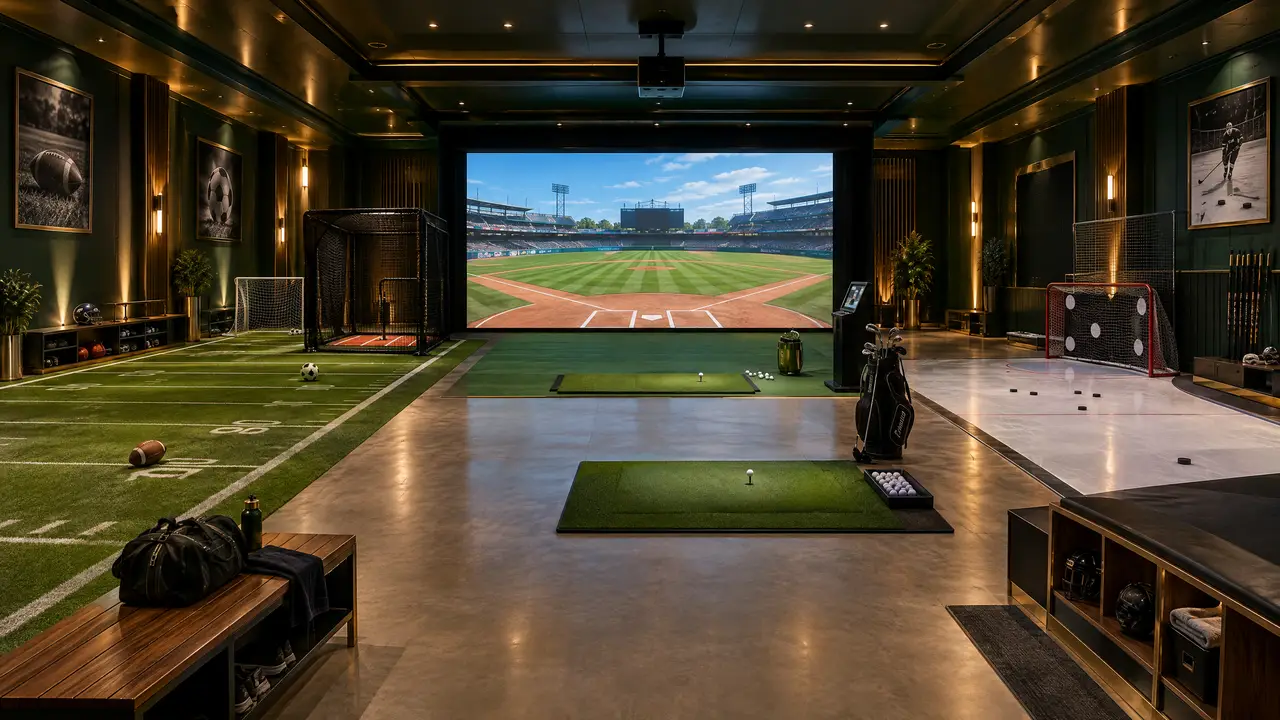
Give every sport a spot
Each sport has its own place to stand and its own path for the ball. A batter's box, a throwing lane and a shooting pad all want different floor space. We mark them on a plan and see how they overlap before anything is built.
Protect the room
More sports means more ways to hit the wall. Padding, netting and a strong screen matter, and so does the floor. We plan the surfaces for turf, hardwood-style strips or shooting pads, and keep fixtures out of the paths.
Keep it simple to switch
The best multi-sport room is one the kids can change without help. We set up the software and controls so changing from golf to baseball takes a couple of taps, and we leave a short quick-guide in the room.
Quick answers
How big should a multi-sport room be?
Larger than a golf-only bay in most cases. We measure and tell you which sports will be comfortable.
Can I add sports later?
Often yes. We plan the room so the next sport is an add-on, not a rebuild.
More guides
- How much space a simulator needsHeight, width and depth each decide something different. Here is how to size up a room before you buy a single part.Read the guide
- Choosing a launch monitorThree kinds of tracking, three sets of trade-offs. A plain-language guide to picking the one that suits your room.Read the guide
- Projector or flat screenBoth can look great. The right choice depends on your room, the light and the sports you play.Read the guide
- Planning a multi-sport roomGolf, baseball, football, soccer and more can share one room if the layout is planned for each of them.Read the guide
Ready when you are. Let's plan your bay.
Tell us about the room and the sports you want to play. A person replies with a clear next step, and a visit to measure if it helps.